 PizzaDesk
Every order, from the till to the door, on one screen.
PizzaDesk runs the till, the kitchen screen, your own online ordering, delivery, stock, staff and profit reports for every branch. It works in the browser on the tablets and phones you already have.
Set up on your own web address. No new hardware to buy.
- VAT handledMenu prices include VAT; receipts and reports split it out.
- 14 allergensTicked per dish, shown to every customer.
- Your own online orderingNo commission on orders from your site.
- Delivery apps trackedSee what Deliveroo, Uber Eats and Just Eat cost you.
Built around a busy Friday night
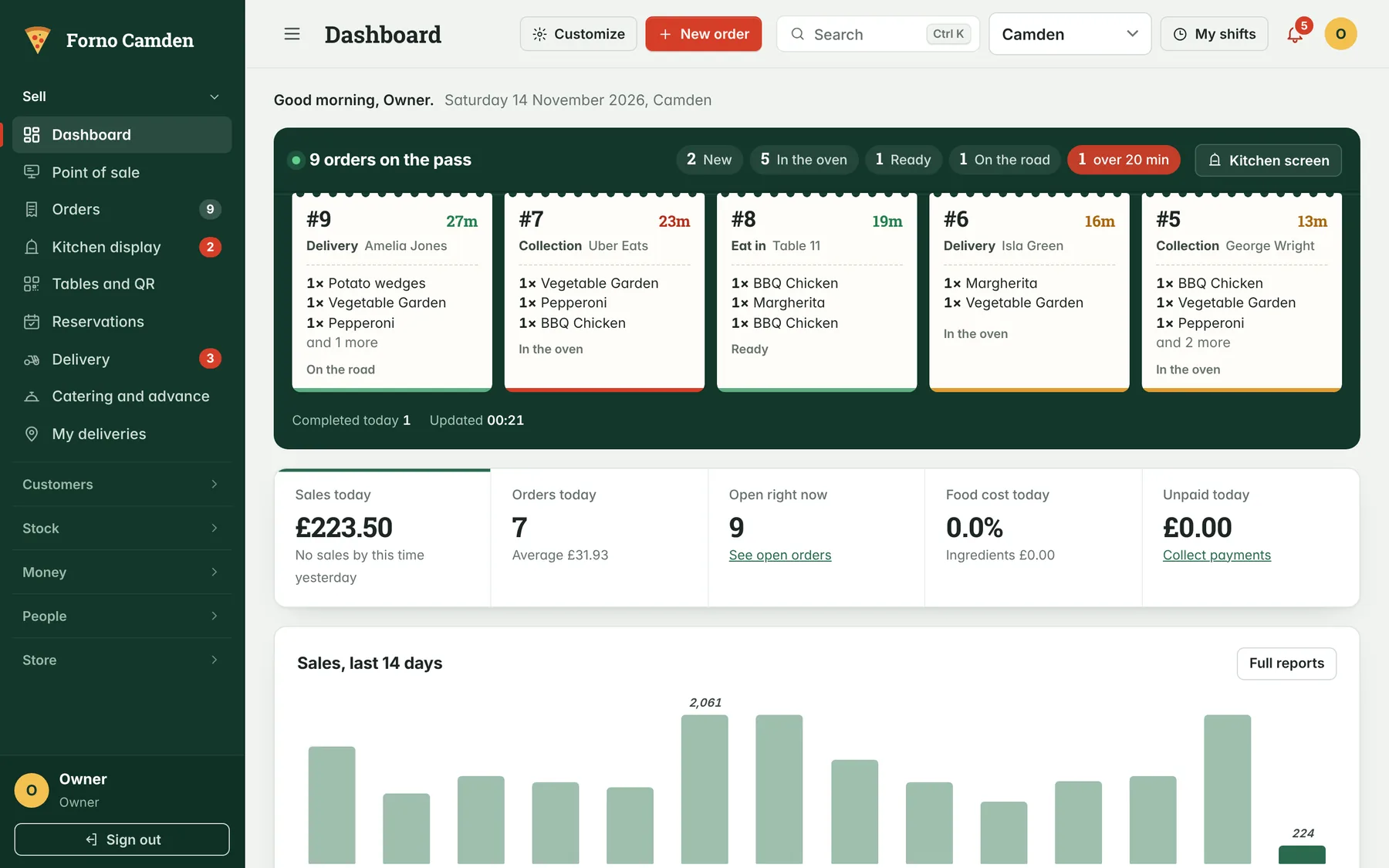
Four screens do most of the work. Each one is designed to be read at arm's length and used with one hand.
A till new staff learn in one shift
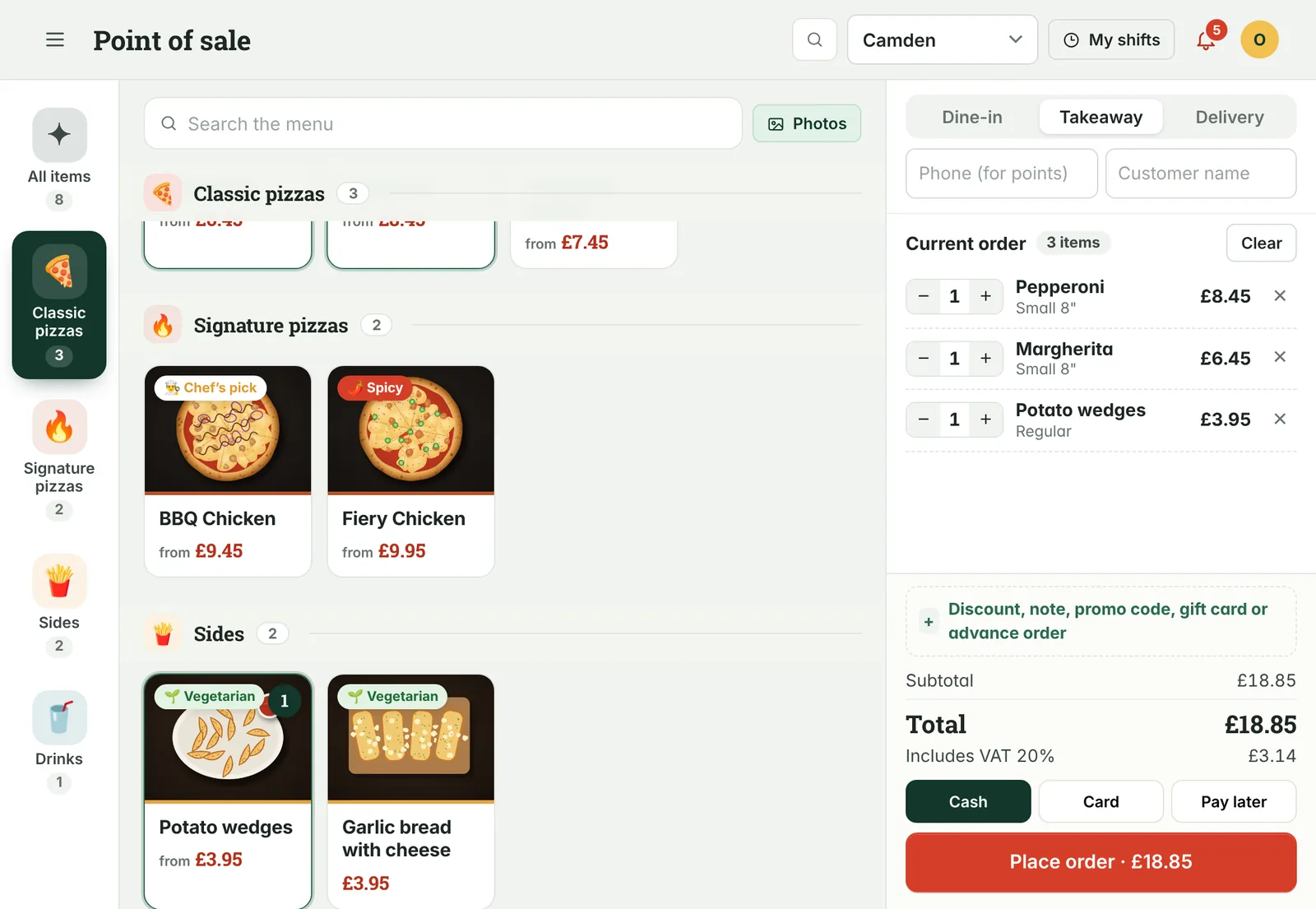
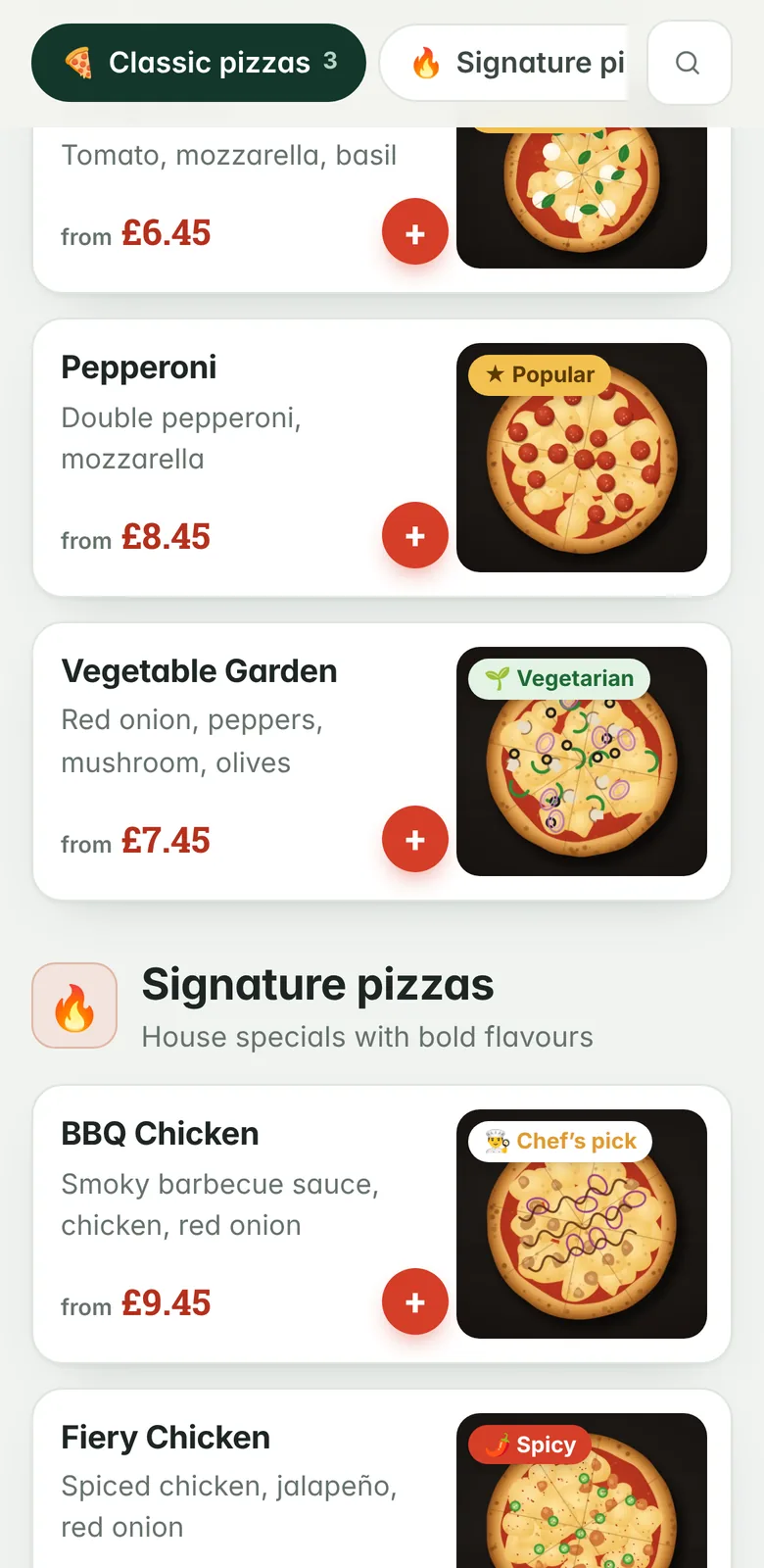
Categories down the side, photos in the middle, the order on the right. Sizes, crusts, extra toppings and half-and-half pizzas are a tap each.
- Dine-in, takeaway and delivery from the same screen
- Cash, card, deposits, gift cards and promo codes
- Keeps taking orders if the internet drops, then catches up
- Discount limits by role, so only managers approve big ones
A kitchen screen that replaces the printer
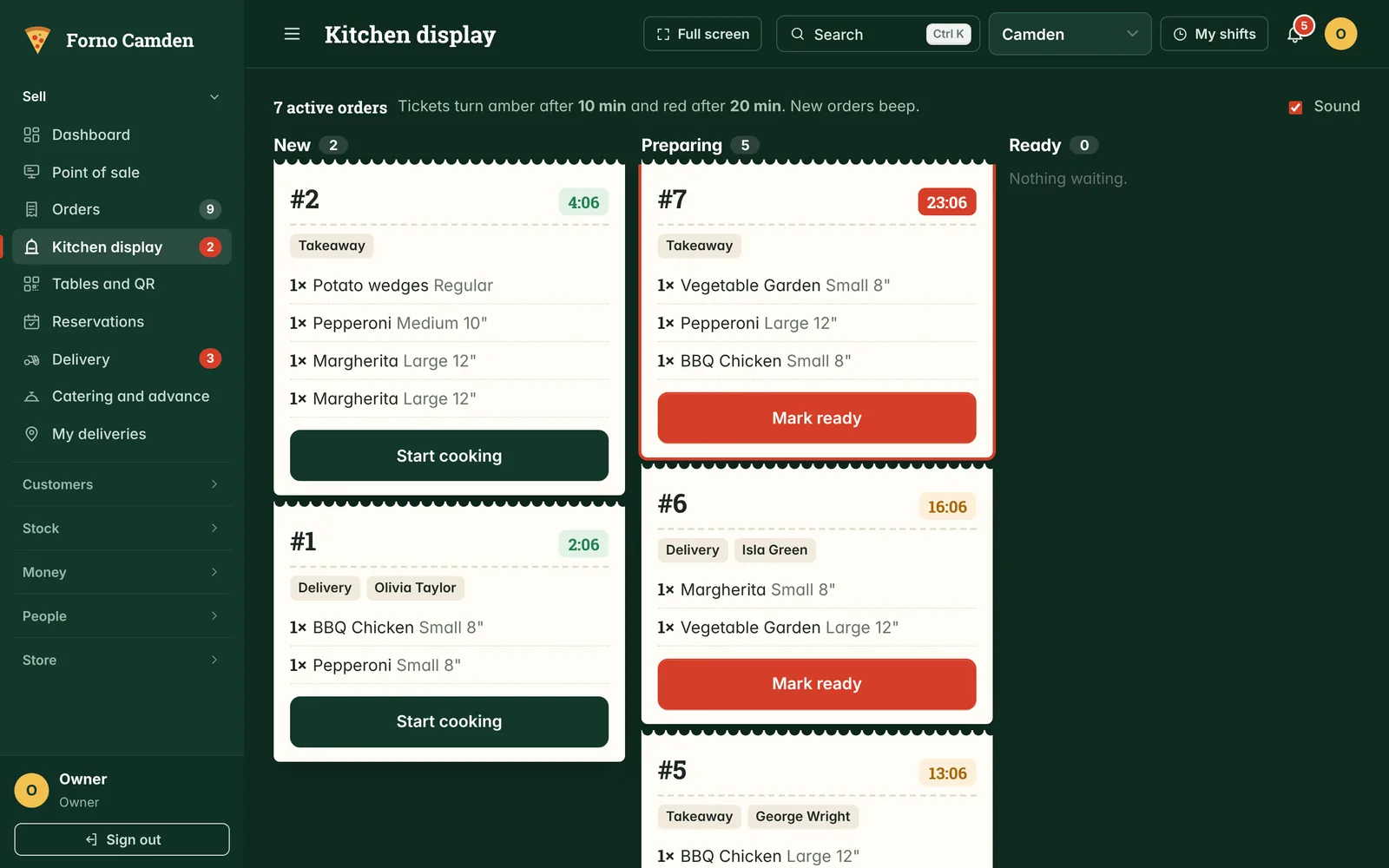
Every order lands in the kitchen the moment it is placed, from the till, your website, a table QR code or the kiosk. Tickets turn amber at 10 minutes and red at 20, so nothing sits forgotten.
- One tap to start cooking, one to mark ready
- Changes and removed ingredients are highlighted
- A sound for each new order
Online ordering under your own name
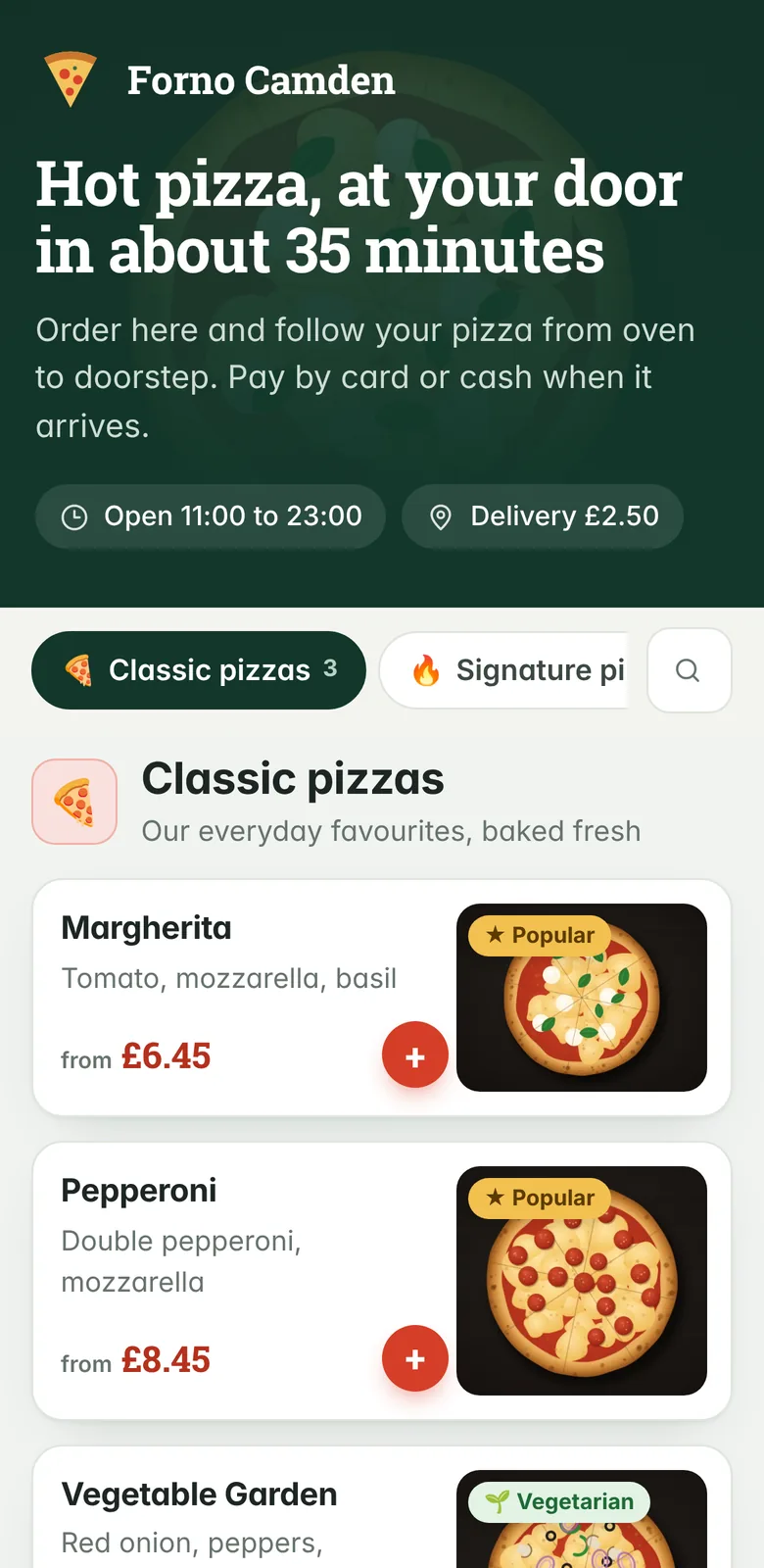
Customers order from your own web address, pay by card, and follow the order from oven to doorstep. The orders are yours, and so are the customers.
- Card, Apple Pay and Google Pay through Stripe
- Live tracking page, with the driver's location on a map
- QR codes for ordering at the table, and a self-order kiosk
- Points, stamp cards, birthday treats and gift cards
Know what you actually made
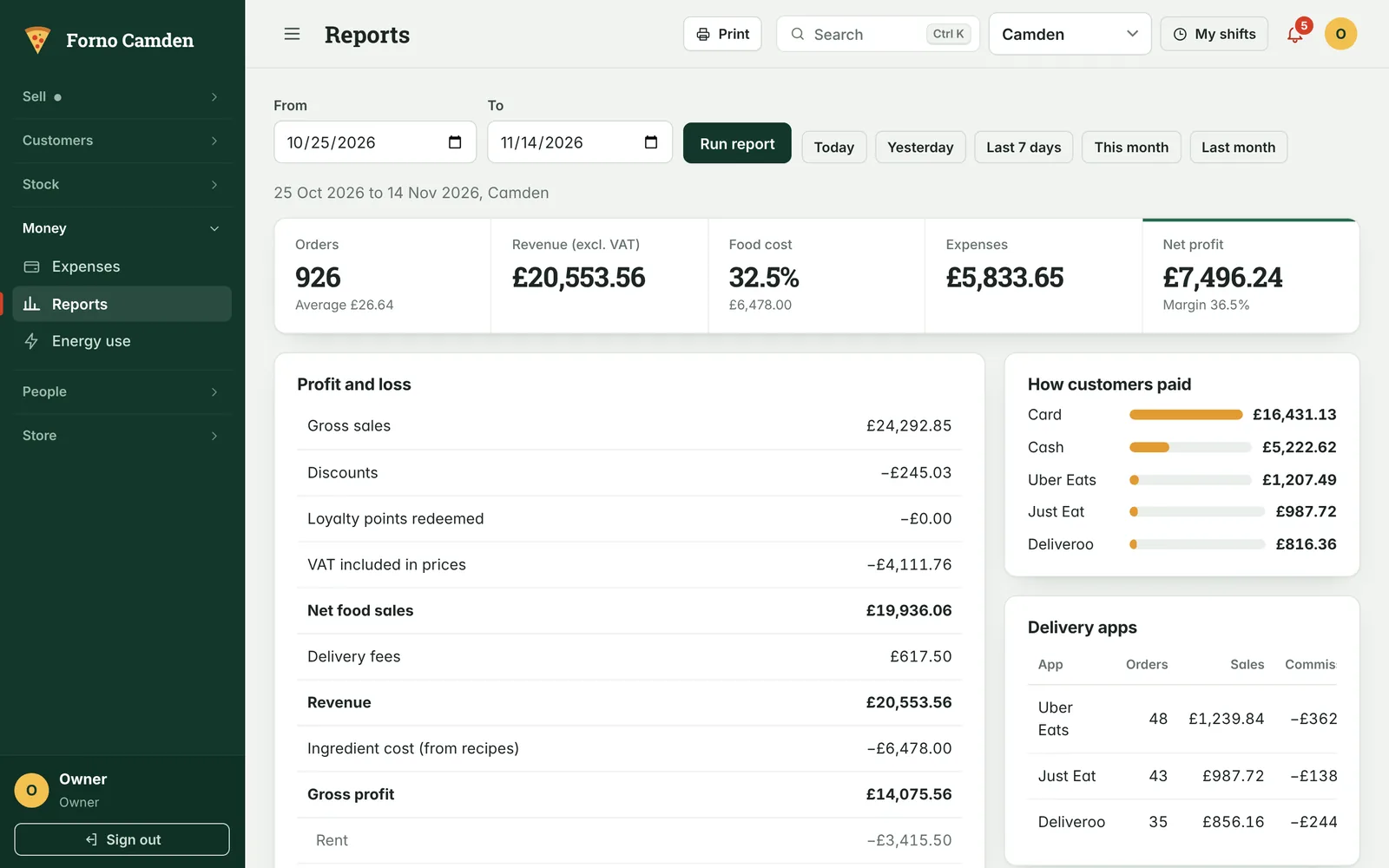
Each sale takes its ingredients out of stock, so food cost is worked out for you. The profit report sets sales against ingredients, wages, rent and delivery-app commission, for one branch or all of them.
- Food cost percentage for every dish
- Low-stock alerts and purchase records by supplier
- Sales forecast and prep suggestions for the days ahead
- Download orders, customers, expenses and payroll as spreadsheets
And the rest of the shop
Everything is included. Switch off the parts you do not need and they disappear from the menu.
Front of house
- Table plan and QR ordering
- Reservations and online booking
- Self-order kiosk
- Catering and advance orders
Delivery
- Driver app with live location
- Dispatch desk and cash reconciliation
- Text messages at each stage
- Delivery-app orders and commission
Customers
- Customer history by phone number
- Points, tiers and stamp cards
- Promo codes and gift cards
- Text campaigns to regulars
Stock
- Recipes and ingredient costs
- Stock counts, wastage and transfers
- Purchases and suppliers
- Central kitchen and branch requests
Team
- Rota, shift swaps and leave
- Clock in by shop tablet or approved phone
- Hours, overtime and payroll figures
- Roles: owner, manager, cashier, kitchen, driver
Running the business
- Several branches, one sign-in
- Expenses and energy use
- Equipment service reminders
- Daily opening and closing checklists
Set up the way a UK kitchen works
Choose United Kingdom at install and these are ready before you take your first order.
Prices include VAT. Receipts show the VAT and your VAT number; the profit report takes it out of sales.
Tick boxes for the 14 named allergens on every dish, shown on the online menu and the kiosk.
Stripe takes the payment on its own secure page. Card details never touch your website.
It runs on your own hosting. Fonts and scripts are served from your site, with no third-party trackers.
One price per shop, everything included
No commission on your orders and no charge per member of staff.
Single shop
One branch with a till, a kitchen screen and online ordering.
- Every feature on this page
- Unlimited staff and devices
- Set-up and menu import
- Email support
Several branches
Two to five branches, with shared menu, stock transfers and group reports.
- Everything in Single shop
- Each extra branch at a lower rate
- Central kitchen and branch pricing
- Phone support during service
Groups and franchises
Six branches or more, or your own name on the software.
- Everything in Several branches
- Your logo and colours
- Staff training on site
- A named contact
Prices exclude VAT. Stripe charges its own card fees directly.
Questions owners ask
What equipment do I need?
Any tablet, laptop or phone with a modern browser. Most shops use one tablet at the counter, one screen in the kitchen and the drivers' own phones. Receipts print from the browser to the receipt printer you already have.
What happens if the internet goes down?
The till keeps taking orders and sends them through when the connection returns. The kitchen screen and online ordering need a connection.
Can I keep using Deliveroo, Uber Eats and Just Eat?
Yes. Enter those orders at the till under the right app and PizzaDesk records the sale and the commission, so the profit report shows what each app really leaves you. Orders from your own website carry no commission.
How long does it take to get started?
Most shops are taking orders within a day. We install it on your web address, load your menu with photos and allergens, and add your team. A setup guide on the dashboard shows what is left to do.
Who owns the customer data?
You do. It sits in your own database on your own hosting, and you can export customers, orders and reports at any time.
Does it work for restaurants that are not pizzerias?
Yes. Categories, sizes, add-ons and wording are yours to set, so it suits burgers, kebabs, curry and cafés as well. Half-and-half and crust options are simply switched off.
See it running with a menu like yours
A demo takes 20 minutes on a video call or in your shop. We will show the till, the kitchen screen and a real order going out for delivery.
Book a demo by email- Phone and WhatsApp
- 020 0000 0000
- Hours
- Monday to Saturday, 9:00 to 18:00